Booking your next Pilates class is easy! All classes are booked through Momence.
1. CREATE YOUR MOMENCE ACCOUNT
If you’re new to SCS Pilates, start by creating your Momence account using the email address you’d like associated with your studio account. You can find the “Momence” app in the apple app store or google play store.
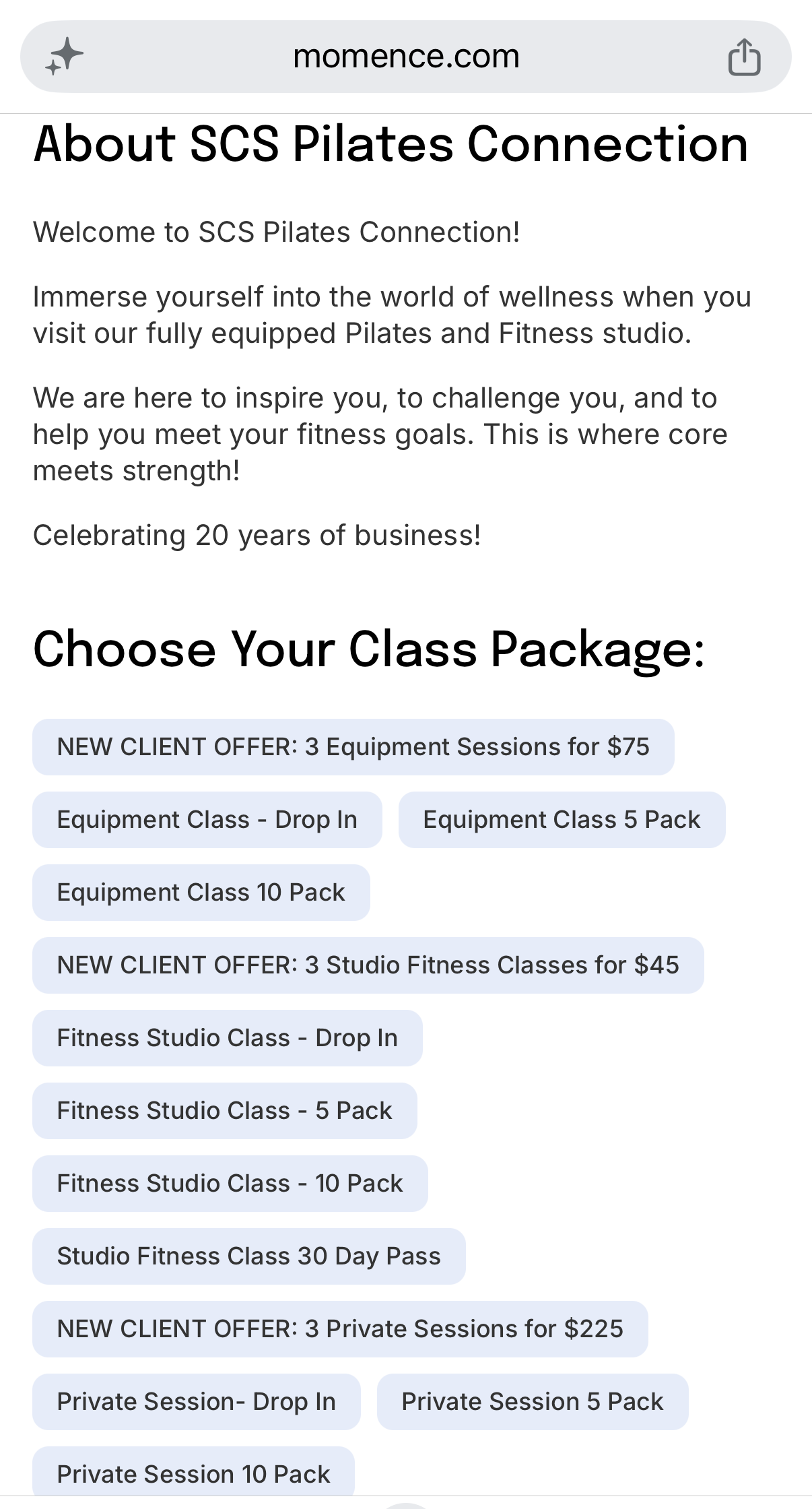
2. PURCHASE A CLASS PACKAGE
Choose the package that works best for you:
“CHOOSE MY MEMBERSHIP” BUTTON WILL LEAD YOU TO THE PURCHASING OPTIONS.
Once your purchase is complete, your class credits will be available in your Momence account.
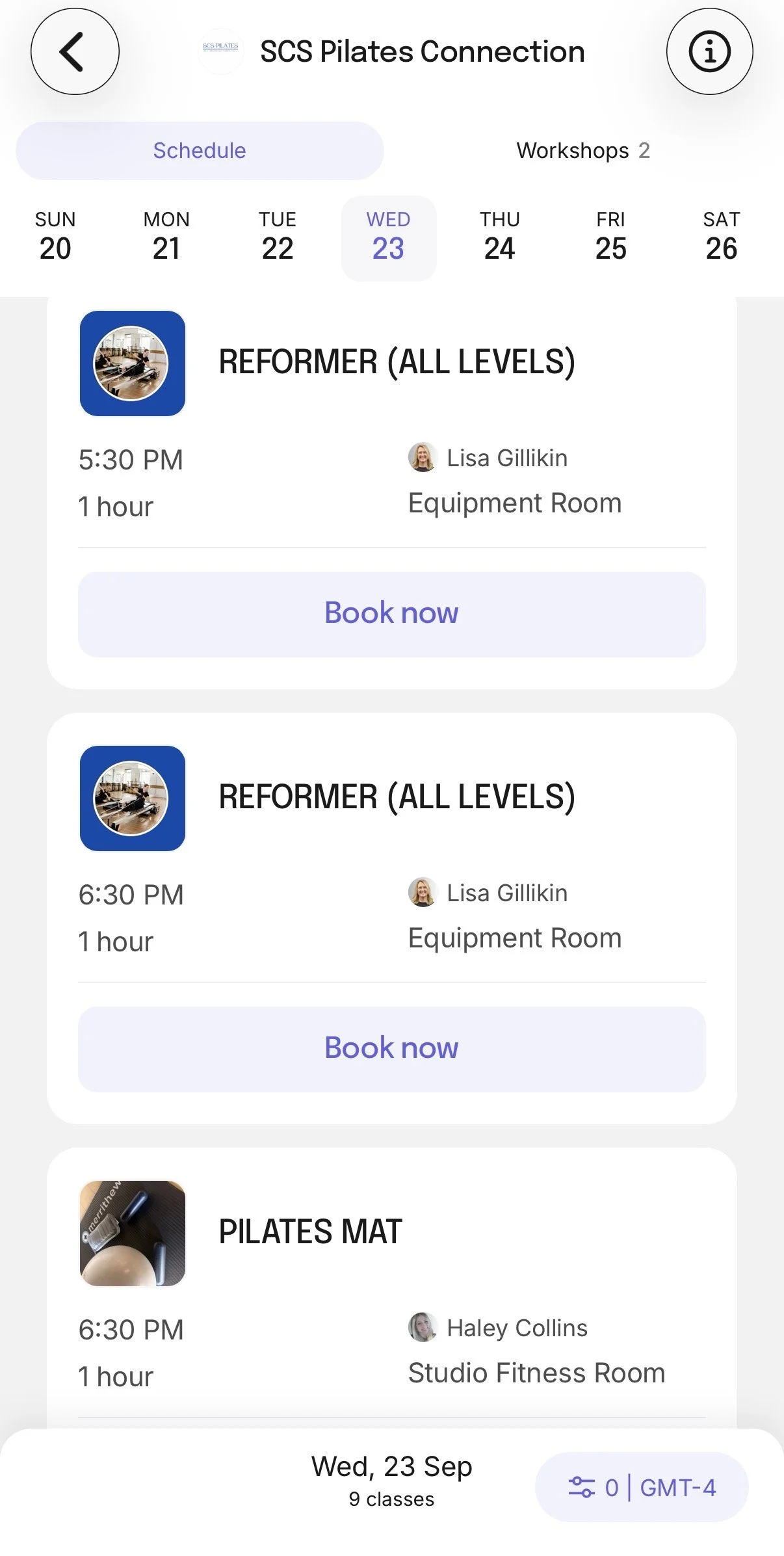
3. VIEW THE CLASS SCHEDULE
Choose the SCS Pilates Host bubble from the start screen when you open the Momence app.
From the SCS Pilates Momence page, select Classes to view our upcoming schedule.
Choose the date and class you’d like to attend.
4. BOOK YOUR CLASS
Select Book Now on your desired class.
If you have an active class package, Momence will automatically show your available credit as a payment option. Select your membership package credit and confirm your booking.
5. YOU'RE BOOKED!
Once your booking is confirmed, you'll receive a confirmation from Momence.
You can view your upcoming classes anytime through your Momence account or the Momence app.
Already have a package? You do not need to purchase another one! Simply log into your Momence account and book your class using your available credit.
NEED HELP?
If you're having trouble booking, please make sure you're logged into the same Momence account/email you used when purchasing your package.
HOW TO BOOK A CLASS